
Renalto
Making an AI quoting tool feel simple for renovation pros.
- Role
- Product Designer & Engineer
- Company
- Renalto, Station F
- Timeline
- Jun 2025 – Jul 2026
- Platforms
- Web, iOS, Android
The product
Renalto helps French renovation pros (plumbers, electricians, masons) turn a voice note, a message or a client's documents into a professional quote in minutes. Its AI assistant, Rita, drafts the quote. The pro reviews it, adjusts it and sends it from their laptop, their phone or WhatsApp.
I joined the team inside the Station F ecosystem to design and build the product's interface, working directly in the codebase.
What I shipped
A workspace built for the job site
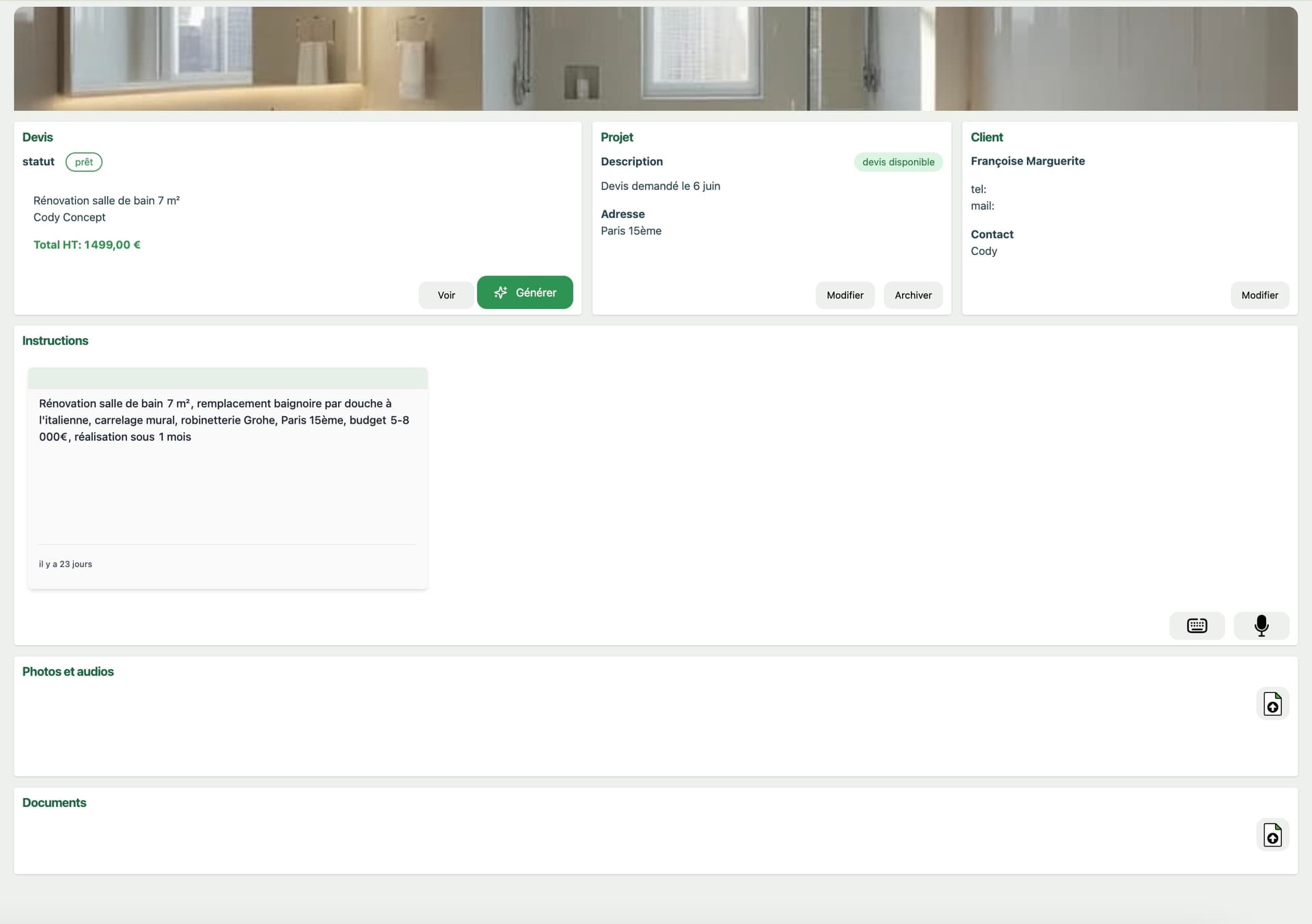
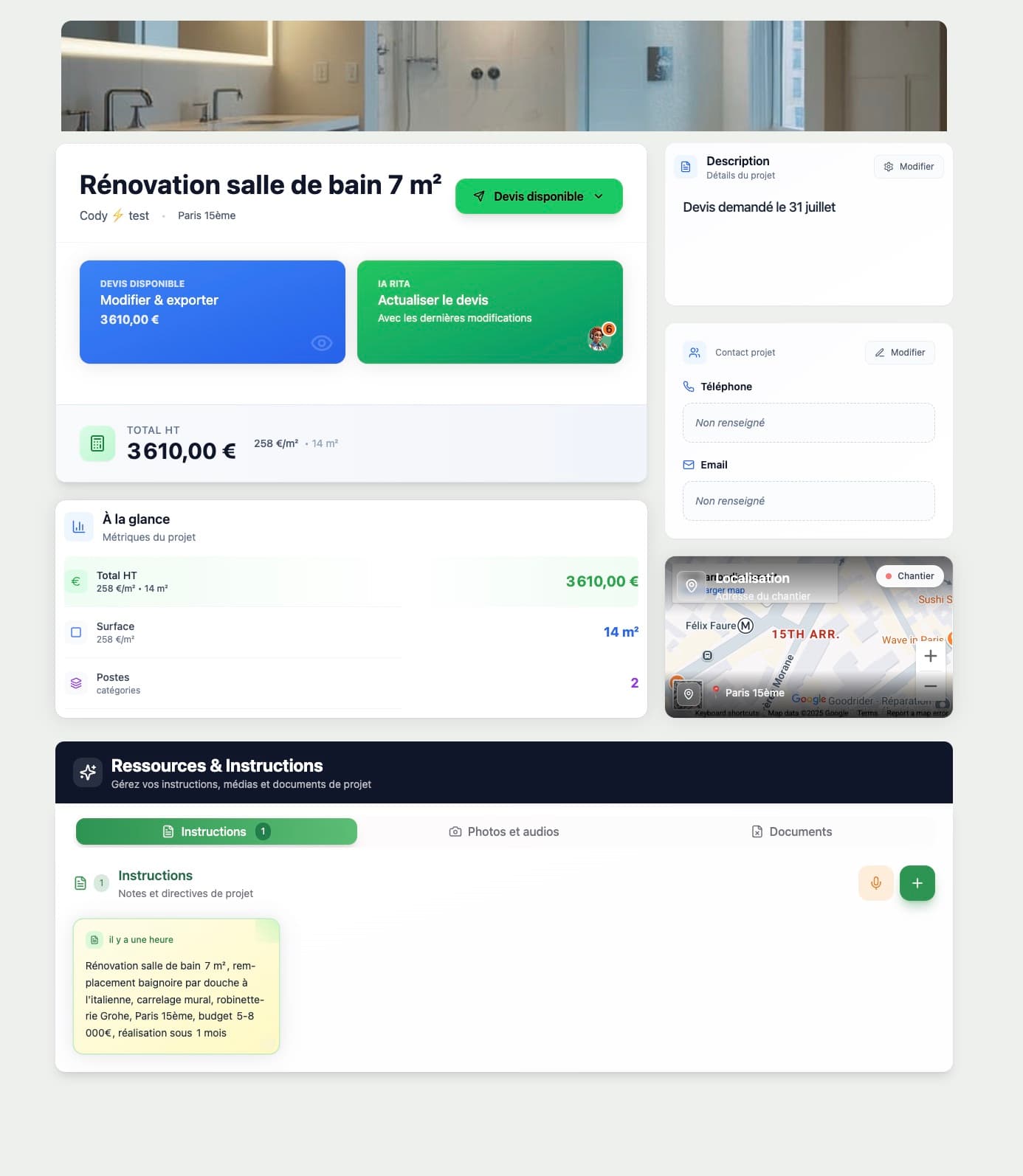
I redesigned the path from a new project to a finished quote: the project page, the quote creation flow, and a single action bar shared by the editor and the preview on desktop and mobile. New navigation for desktop and phone followed, then the home screen. Instructions can be dictated as well as typed, and tender documents (DPGF) get their own dedicated flow.
Onboarding that ends in a first quote
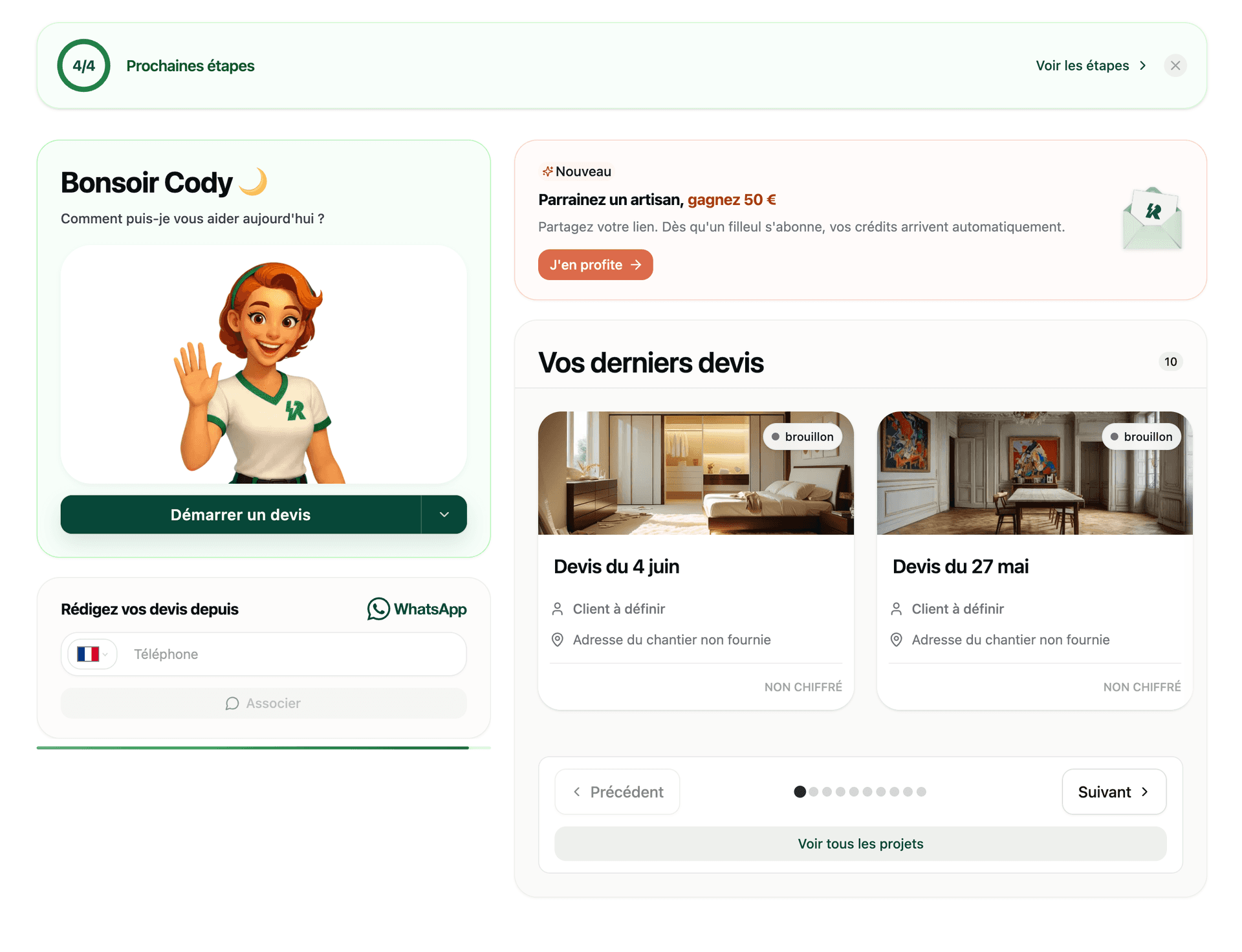
New users land on a start page with a guided tour instead of an empty dashboard. Steps are pre-filled where Renalto already knows the answer, the phone number needed for WhatsApp quoting is asked up front, and every step reports to analytics so the team can see where people drop off.
Giving Rita a character
Rita used to be a static illustration. I rebuilt her in Rive as one state machine. She breathes, blinks and follows your cursor. She waves hello, and while idle she cycles through trade poses. In the quote editor she reacts to what's happening: a chat icon while you type an instruction, working while the AI updates the quote, and a check when it's done. Short messages appear in a speech bubble. The new Rita shipped behind a feature flag, along with an animated Renalto logo for loading states.
Getting quotes out the door
An Excel export with live formulas and a signature block for client approval, a PDF preview on mobile, one-click connection to the accounting tools Tolteck and Batigest, and VAT rules for Belgium, Luxembourg and France's overseas departments.
Growth
A referral program with tracking, automatic rewards and a personalized sign-up banner for invited pros, plus Stripe subscriptions inside the app.